
For job seekers
Build and manage resumes, track applications, create cover letters, save jobs, and use plan-based career tools.
Rexhio helps job seekers manage their search, employers manage hiring activity, and admins operate the platform. This guide explains what each role can do, how subscriptions work, and how to troubleshoot common issues.
Overview
Rexhio is a role-based job search and hiring workspace. It combines resume tools, application tracking, subscription-based career features, employer job posting, and admin operations in one product.
Build and manage resumes, track applications, create cover letters, save jobs, and use plan-based career tools.
Verify company profiles, create job posts, manage active listings, review hiring metrics, and inspect candidate materials.
Operate platform data, review users, inspect jobs and resumes, and assist with subscription workflows.
Roles
Your account role determines the dashboard, navigation, settings page, and tools available to you.
Explore jobs, pricing, resume tools, and account options.
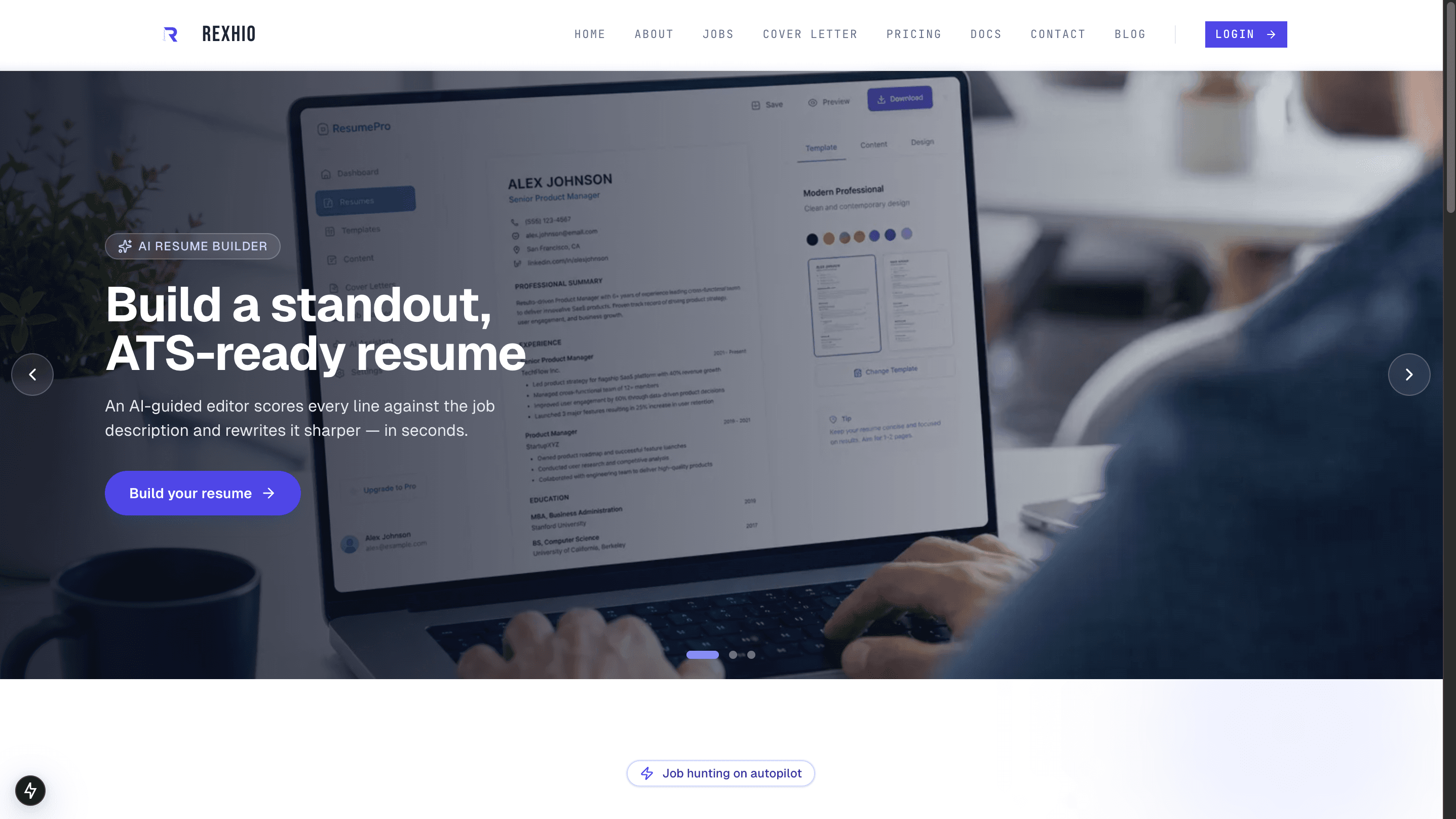
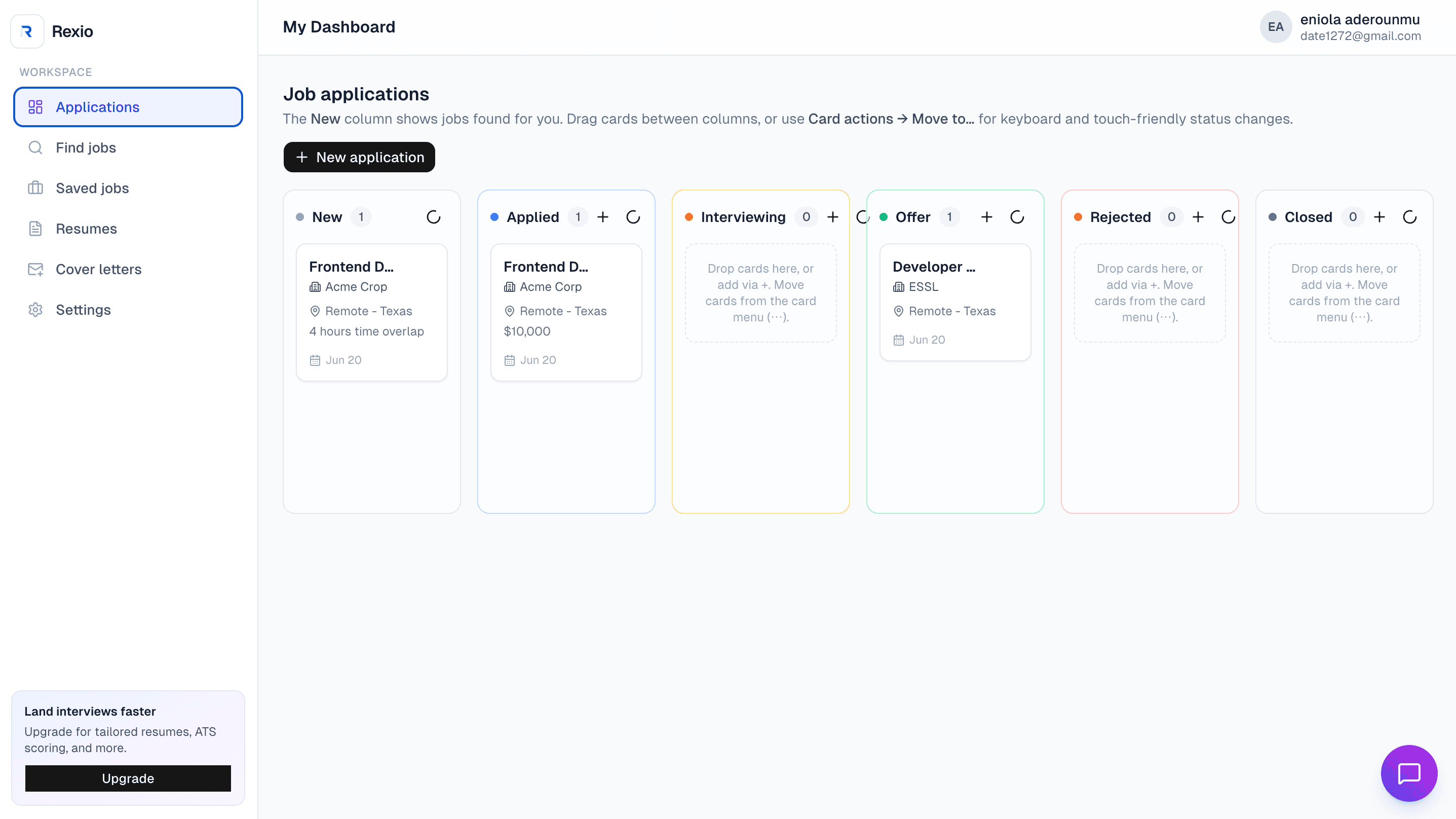
Build resumes, review jobs, submit applications, and use paid career tools.
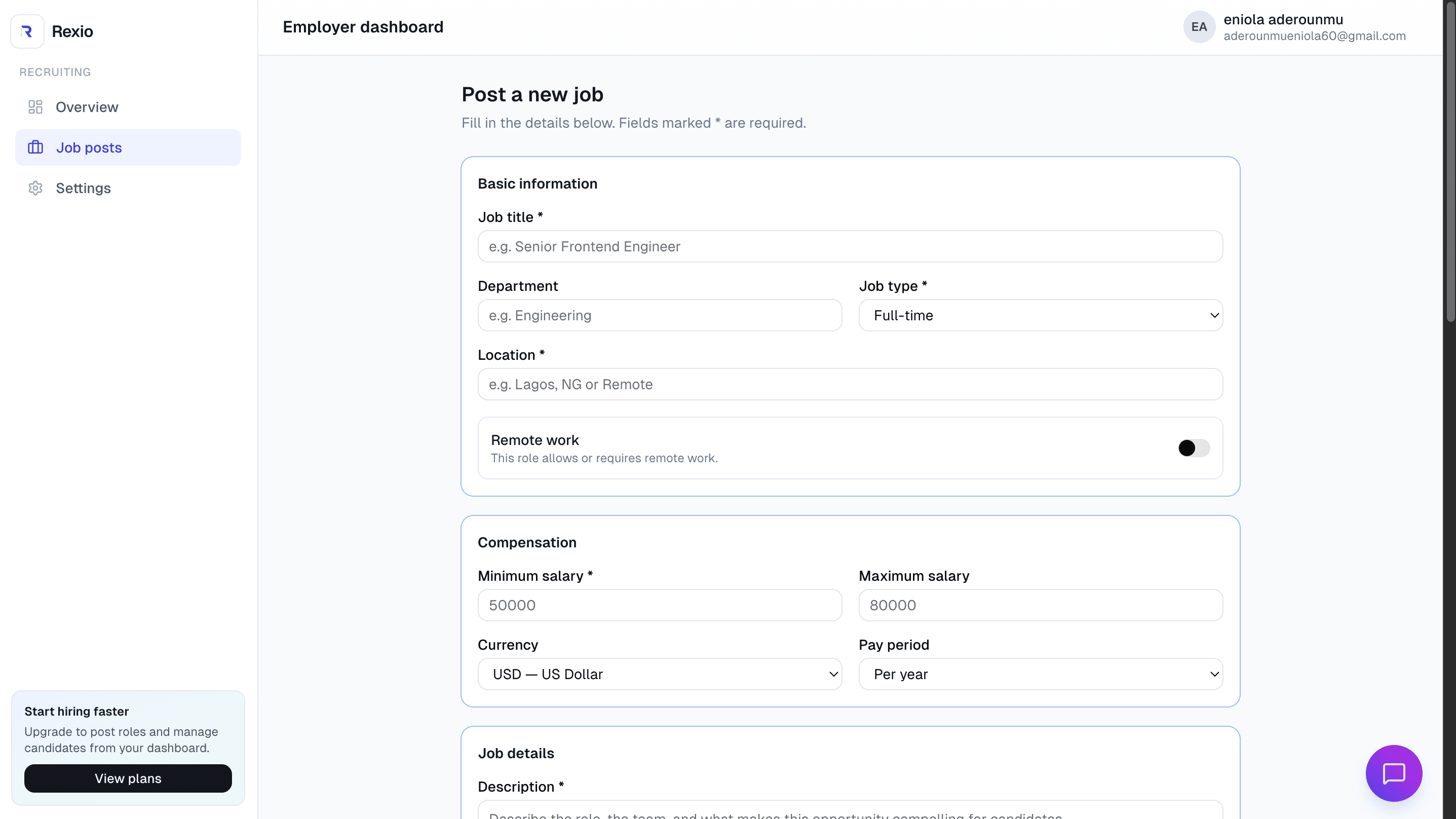
Verify company profiles, post jobs, review applicants, and manage employer billing.
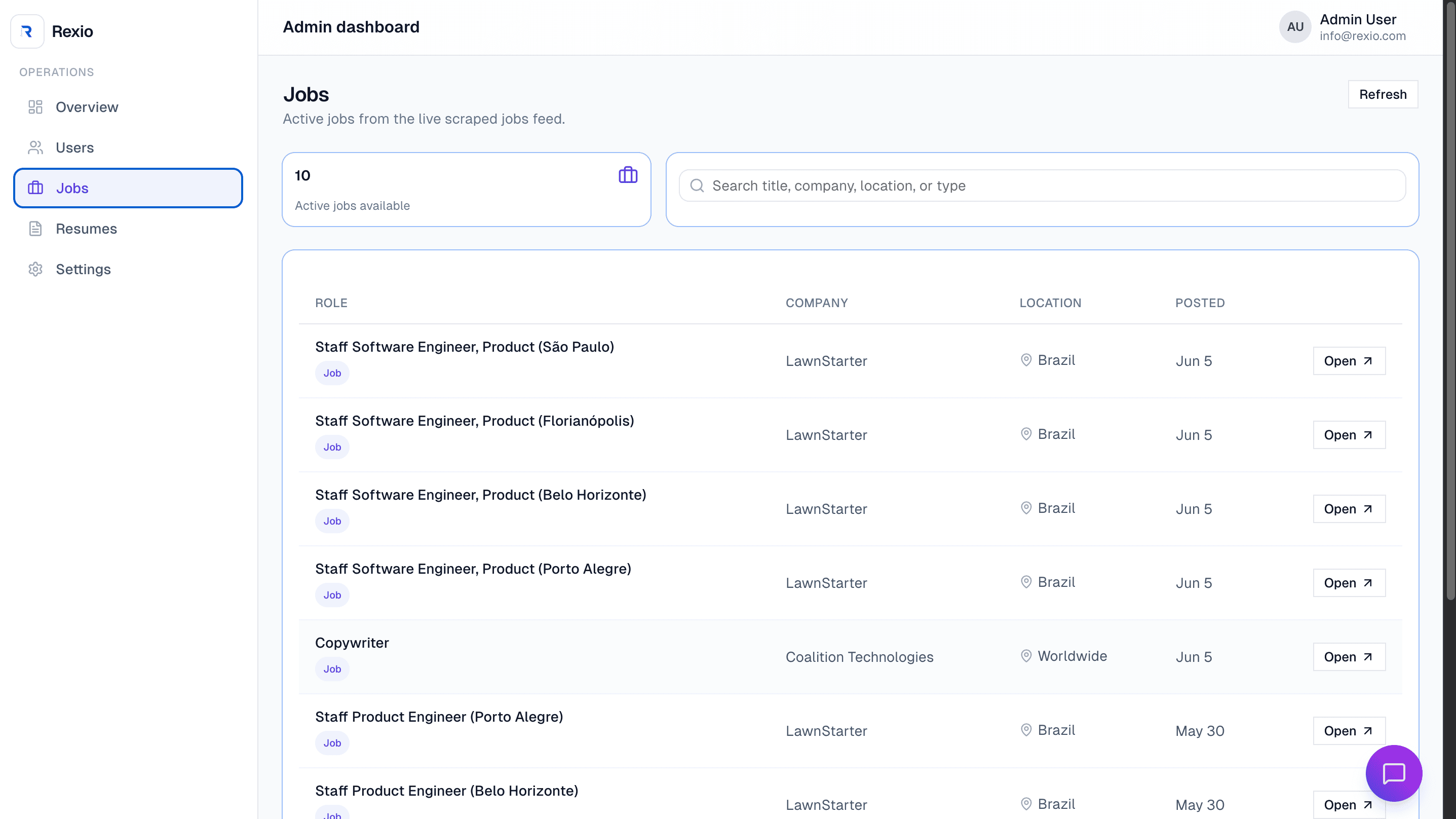
Operate users, jobs, resumes, settings, and subscriptions.
Workflows
Recent Rexhio updates connect employer jobs to verified companies, improve job details for seekers, and make application materials visible during employer review.
Employers manage company profiles from /dashboard/employer/companies. If no company exists, Rexhio shows the add-company form. If a company already exists but is not verified, Rexhio shows verification and resend actions instead of asking the employer to create another company.
Employer job posting is tied to verified companies. The job post form loads employer companies, allows posting only when a verified company is available, and stores job requirements such as resume, cover letter, and portfolio requirements.
Public jobs and seeker dashboard cards prioritize employer-posted jobs before scraped jobs. Details panels support HTML or plain-text job descriptions and show salary, location, responsibilities, requirements, and required materials without exposing employer email or internal source fields.
The application form captures resume selection, cover letter text, portfolio URL, notes, and external application confirmation when applicable. Required resume, cover letter, and portfolio rules are validated before submission.
Employers can open candidate review from Recent candidates or the Applications section. Submitted materials include resume, cover letter, portfolio, notes, and status controls. Resume viewing uses the backend template download route through /api/proxy/resume/{resumeId}/download?format=template.
Profile settings now store display photos through the backend file service and show assigned account roles. Admin user subscription tabs use the backend admin subscriptions endpoint with status filters for all, active, and unsubscribed records.
Subscriptions
Job seeker and employer subscriptions use one shared backend flow. The selected plan ID determines which product is purchased.
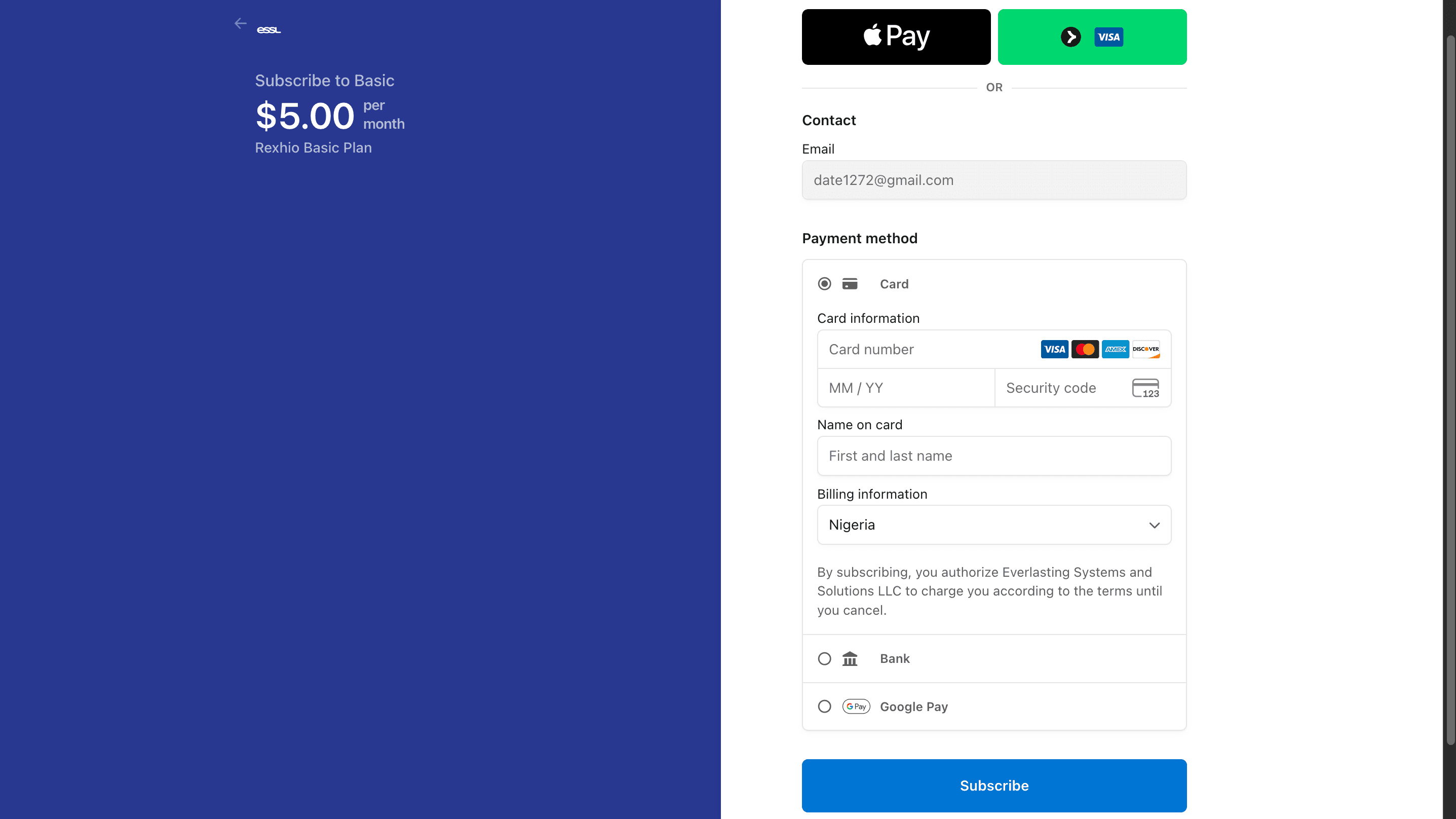
The screenshot shows the payment step users reach after choosing a plan. It helps connect the pricing, Stripe checkout, and subscription-success explanations below.
Rexhio loads active plans from the backend subscription plans endpoint. The pricing page groups plans into job seeker and employer audiences based on backend plan IDs.
Checkout starts from the pricing page. Rexhio sends the signed-in account email and selected plan ID to the backend, and the backend returns a Stripe Checkout URL.
After Stripe redirects to the success page, Rexhio checks the checkout session status, refetches the current subscription, and returns the user to the correct role dashboard. This allows the UI to update after webhook processing completes.
Job seekers manage billing at /dashboard/seeker/settings. Employers manage billing at /dashboard/employer/settings. Admins use /dashboard/admin/settings.
Admins review subscription-backed user lists from the backend admin subscriptions endpoint. The Users page requests all, active, or unsubscribed records based on the selected tab.
GET /subscriptions/plans - load active plansPOST /subscriptions/checkout - start Stripe CheckoutGET /subscriptions/status/:id - verify checkout statusGET /subscriptions/me - load current user subscriptionDELETE /subscriptions/me - cancel at period endGET /subscriptions/admin/subscriptions - admin subscription user lists with status, limit, and offsetbasic, standard, rexhio_annual, advancedemployer_monthly, employer_annualEntitlements
Entitlements are controlled by backend plan configuration. The list below describes the kinds of features Rexhio understands and may show when plans include them.
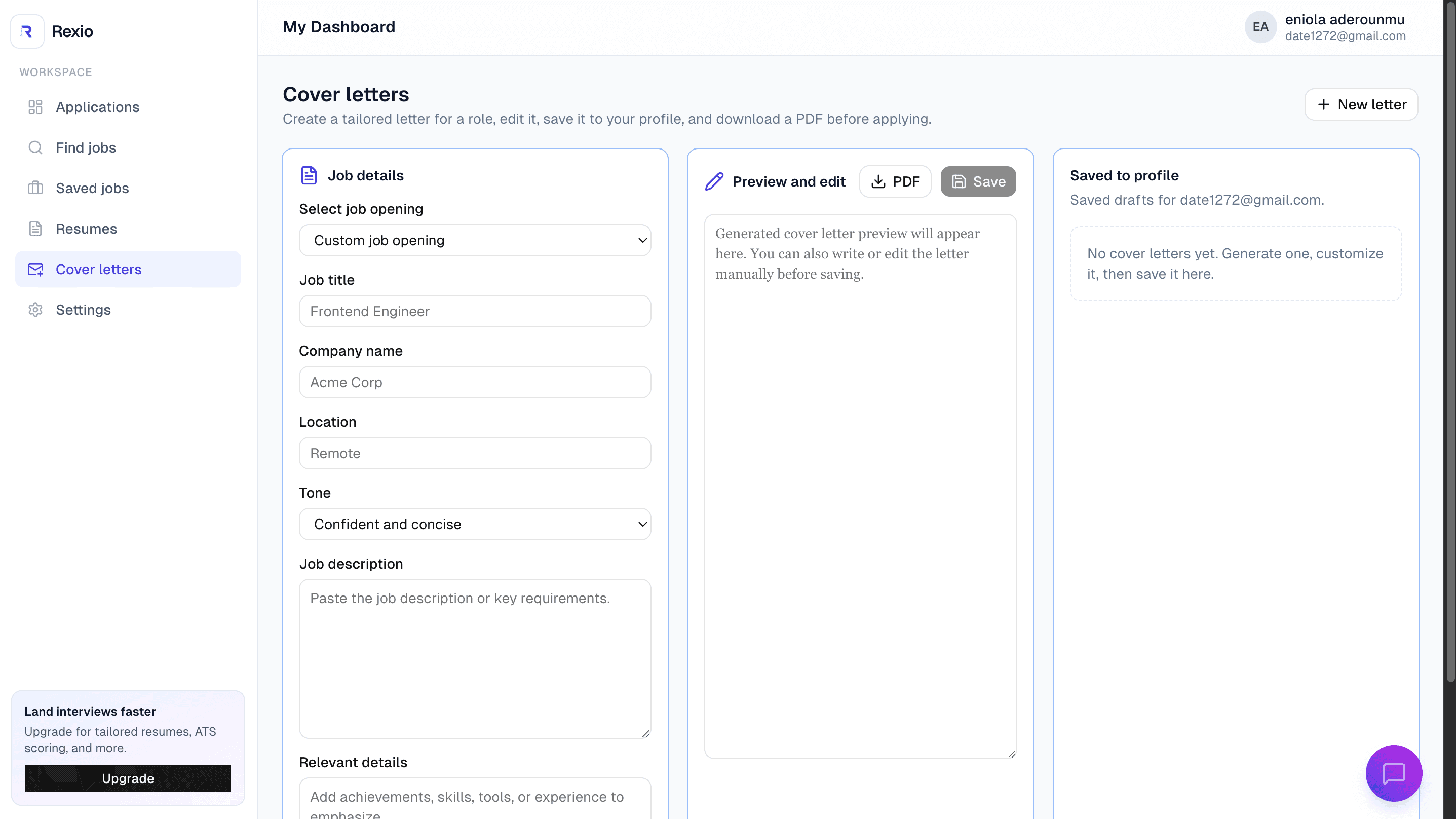
Feature access is easiest to understand when users can see where plan-backed tools live. Cover letters are one of the visible career tools that may be included by subscription configuration.
FAQ
Quick answers for accounts, role dashboards, job seeker workflows, employer workflows, subscriptions, and troubleshooting.
Rexhio is an AI-assisted job search and resume platform. It helps job seekers build resumes, manage applications, create cover letters, and use subscription-based career tools. It also gives employers a workspace for job posts and hiring activity.
No. Rexhio supports visitors, job seekers, employers, and admins. The dashboard you see depends on your authenticated role.
Use /dashboard after signing in. Rexhio routes admins to /dashboard/admin, employers to /dashboard/employer, and job seekers to /dashboard/seeker.
Use the Contact page for support questions, billing questions, account problems, or employer inquiries.
Use Sign Up, choose the account type that matches your use case, and complete the required account details. Some flows may ask you to verify your email.
Dashboard access is role-based. If an account has the employer role it goes to the employer dashboard. If it has the admin role it goes to the admin dashboard. Other normal user roles go to the seeker dashboard.
Job seekers use /dashboard/seeker/settings. Employers use /dashboard/employer/settings. Admins use /dashboard/admin/settings. The profile card also shows the account roles assigned to you.
Open your role-specific Settings page and choose Change photo in the Profile details card. Rexhio accepts PNG or JPG images up to 5MB and stores the display photo through the backend file service.
Open the seeker dashboard and go to Resumes. From there you can manage resume records and use available resume tools. Some advanced actions may require a paid plan.
Open Saved jobs or Applications from the seeker dashboard. If your plan includes automated job recommendations, Rexhio can surface job opportunities there. Employer-posted jobs appear before scraped jobs when both are returned by the backend.
Use the Applications view in the seeker dashboard to track your pipeline and next steps. Job cards include Details and Apply or Track actions so you can review the job and submit required materials.
Job details can show salary, location, job type, department, posted and expiration dates, requirements, responsibilities, required materials, and the description. Descriptions may come from the backend as HTML or plain text.
Applications can include a selected resume, cover letter text, portfolio URL, notes, and an external application confirmation when needed. Rexhio blocks submission when required resume, cover letter, or portfolio materials are missing.
Rexhio may show an upgrade prompt or explain that your current plan does not include the feature. You can compare plans from Pricing.
Open Companies first and create or verify your company profile. If the company exists but is unverified, use the verification prompt or resend the verification email. After a verified company is available, open /dashboard/employer/jobs, choose New job post, select the company, fill out the job details, and manage the post from Job posts.
Employer job posting requires a company connected to the employer account and ready for posting. If your company is unverified or inactive, Rexhio shows a verification prompt instead of letting you keep adding duplicate companies.
Use the Employer dashboard overview to see hiring metrics, active job posts, and recent candidate activity. Choose Review on a recent candidate or open the Applications section from Job posts to inspect submitted materials.
Open candidate review from Recent candidates or Job posts. The View resume action downloads the backend-generated template resume through /api/proxy/resume/{resumeId}/download?format=template. The source download endpoint is only for original uploaded files and is not used for normal employer viewing.
Employers manage subscription status and billing at /dashboard/employer/settings. The sidebar also shows active plan or upgrade information.
The employer dashboard and job posts page show retry actions when backend data cannot be loaded. Confirm you are signed in as an employer and that the backend API is available.
No. Rexhio asks the backend to create a Stripe Checkout session. The frontend redirects to the checkout URL returned by the backend.
Rexhio uses /subscriptions/plans, /subscriptions/checkout, /subscriptions/status/{checkoutSessionId}, /subscriptions/me, DELETE /subscriptions/me for cancellation, and /subscriptions/admin/subscriptions for admin subscription views. Job applications and employer company workflows use the generated JobsService endpoints exported from the backend API client.
After payment, the success page checks the Stripe checkout session status through the backend and refreshes /subscriptions/me. Stripe webhook processing may take a short moment before the active plan appears.
Open your role-specific settings page and use the Subscription & billing card. Cancellation is scheduled at period end when supported by the backend.
If cancellation is scheduled, access normally continues until the end of the current billing period. The billing card shows access or renewal details when available.
The admin Users page uses backend subscription status filters. All Users requests status=all, Active Subscribers requests status=active, and Unsubscribed / Inactive requests status=unsubscribed.
Refresh the page after a minute. If it still does not update, check that you are signed in with the same email used at checkout and contact support with the checkout email and approximate payment time.
Dashboard routing is role-based. If you are redirected unexpectedly, your account role may not match the workspace you are trying to open.
Some dashboard cards depend on backend data. If the backend is unavailable, misconfigured, or has no data yet, Rexhio shows loading, empty, or retry states.
Employer resume viewing depends on the backend template download endpoint and the employer token. Use /api/proxy/resume/{resumeId}/download?format=template for normal viewing. The /source/download endpoint only streams an original uploaded source file when one exists.
The app proxy uses API_URL or NEXT_API_URL on the server. Client-generated API calls go through /api/proxy, and public client variables must use NEXT_PUBLIC_* only at the browser boundary.